Publishing your server
To list your server on the public server list in the Launcher, configure the ServerList section in config.json.
Any changes made to config.json require a server restart to take effect.
Configuration Settings
| Setting | Type | Description |
|---|---|---|
Enabled | boolean | Whether to list the server publicly. |
Name | string | Display name visible in the Launcher. Maximum 50 characters. |
Gamemode | string | Game mode tag, shown next to the name. Maximum 15 characters. |
Description | string | Optional. Short description shown on the server's card in the Launcher. Maximum 300 characters. |
Country | string | Optional. Two-letter ISO 3166-1 alpha-2 country code (e.g. PL, US, DE), used to show a flag on the server's card. |
MaxPlayers | integer | Maximum number of players. Must be between 1 and 64 (enforced when players connect). |
PublicHost | string | Publicly routable IP address or hostname (maximum 253 characters). See Host Validation. |
PublicPort | integer | The advertised port for players to connect to via the public IP. |
LicenseKey | string | License key used to obtain verification. See Verified status. |
These limits are enforced when your server reports to the public list. If a value is invalid (for example a description over 300 characters or a malformed country code), the server is not listed.
Be respectful when choosing a name and gamemode tag, as they will be visible to all players in the Launcher. Violations of the ReadyM Terms of Service may result in your server being removed from the public list or your account being banned.
Minimal Configuration Example
{
    "ServerList": {
        "Enabled": true,
        "Name": "Bob's arena",
        "Gamemode": "PvP",
        "Description": "Weekly PvP tournaments, all welcome",
        "Country": "US",
        "MaxPlayers": 32,
        "PublicHost": "203.0.113.1",
        "PublicPort": 9050,
        "LicenseKey": ""
    },
    "Server": { "Port": 9050 }
}
Network Configuration
When configuring your server network layout, it is important to distinguish between the local binding port and the public routing port:
Server.Port: The local port the server software binds to on your host machine.ServerList.PublicPort: The external port advertised to the public internet that players will use to connect to your server.
These two ports can be different if your server operates behind a router using Port Forwarding, a network address translation (NAT) layer, or inside a virtualized environment like Docker. Ensure your external firewall routes incoming traffic from the
PublicPortto your localServer.Port.
Host Validation Rules
Our system evaluates the PublicHost string to ensure network validity. If your address does not comply with the following routing requirements, the server will fail to list publicly.
Hostnames vs. IP Addresses
- Hostnames: Standard domain names (e.g.,
server.example.com) are accepted without remote resolution. The server automatically cleans up trailing dots (FQDN formatting) and strips IPv6 literal brackets ([...]). - Localhost Restriction: Using
localhostas a hostname is rejected by default to prevent internal routing loopbacks.
Blocked Network Ranges
If an explicit IP address is supplied, it must be publicly routable. The system explicitly blocks the following private, local, and restricted address allocations:
| Address Type | IPv4 Ranges | IPv6 Ranges / Rules |
|---|---|---|
| Loopback / Unspecified | 127.0.0.0/8, 0.0.0.0/8 | ::1, ::, IPv4-mapped loopbacks |
| Private Networks | 10.0.0.0/8, 172.16.0.0/12, 192.168.0.0/16 | Unique Local Addresses (fc00::/7) |
| Link-Local / Site-Local | 169.254.0.0/16 | Link-Local (fe80::/10), Site-Local |
| Carrier-Grade NAT | 100.64.0.0/10 | N/A |
| Multicast & Reserved | 224.0.0.0/4 through 255.255.255.255 | Multicast (ff00::/8) |
Verified status
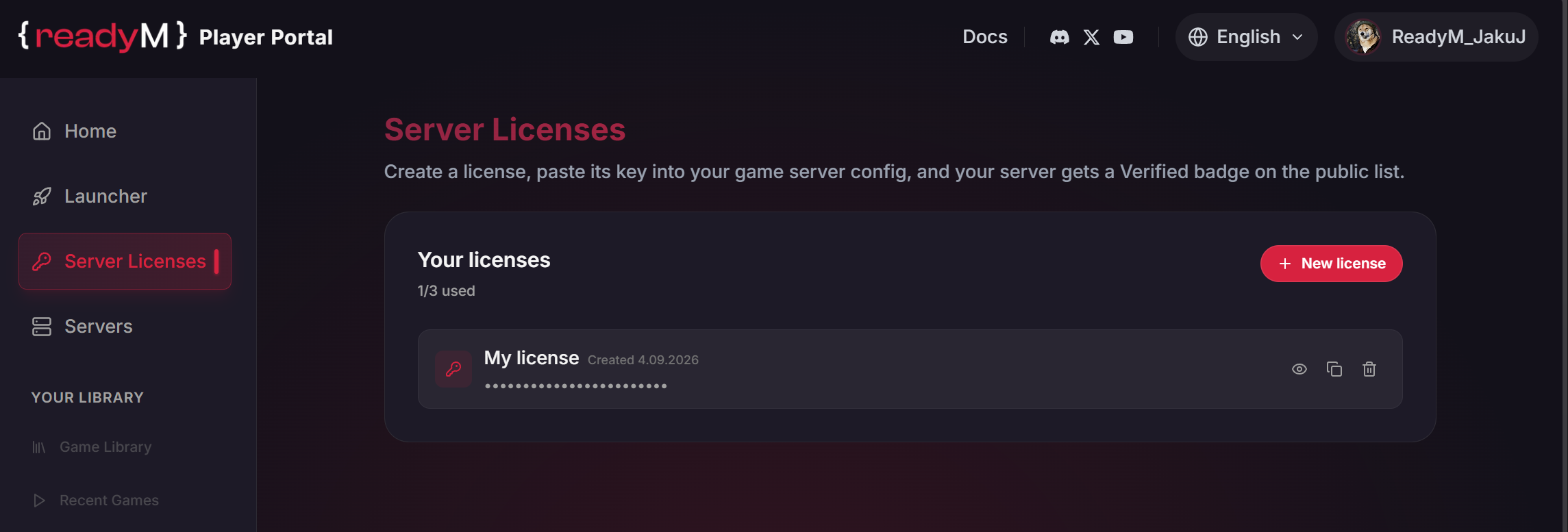
To get the Verified badge on the server list, provide a valid license key in ServerList:LicenseKey. You can generate keys on the Player Portal.
License Allocations
- An account can generate a maximum of 3 license keys.
- Key Sharing: A single license key can be shared across multiple servers simultaneously. This allows you to host an unlimited number of public, verified servers using your allocated keys. (Note: This behavior is subject to change in future portal updates).
The key is a secret and should not be shared publicly. If you believe your key has been compromised, generate a new one in the Player Portal and immediately revoke the compromised token.
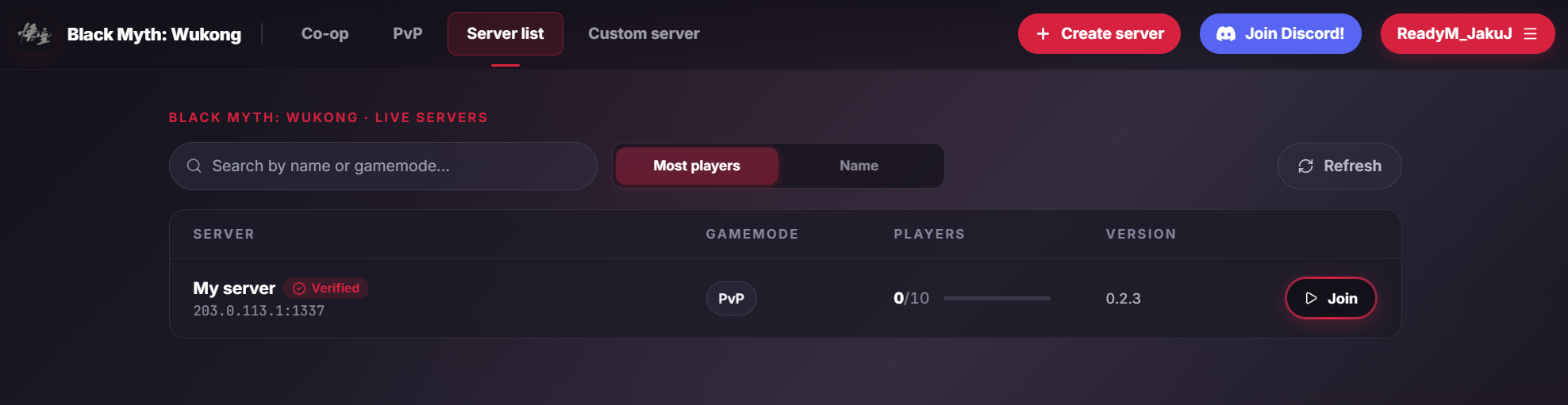
After entering a valid key in the configuration and restarting, the server will be marked as Verified in the Launcher: