ReadyM Launcher 0.34.0 released

Launcher 0.34.0 is out together with OblivionMP SDK 1.0.0-rc.3. Servers get icons and cards in a refreshed server list, and playing on Linux through Proton is now much simpler.
Changes
- Added server icons to a refreshed server list. A server's icon is also shown at the top of its Join panel.
- Added server cards. A server can show its own card in the Join panel, above the Join button, marked as "Provided by the server owner".
- Links on a server card open in your web browser. Before a link opens, the Launcher shows its domain and asks you to confirm. Links to Discord, YouTube and Twitch open without asking.
- The Join panel now also shows the server's version, and whether the server is password protected.
- Changed Linux support. Playing through Proton is now much simpler (steps below).
- Changed the update button. It now also shows on the game selection screen.
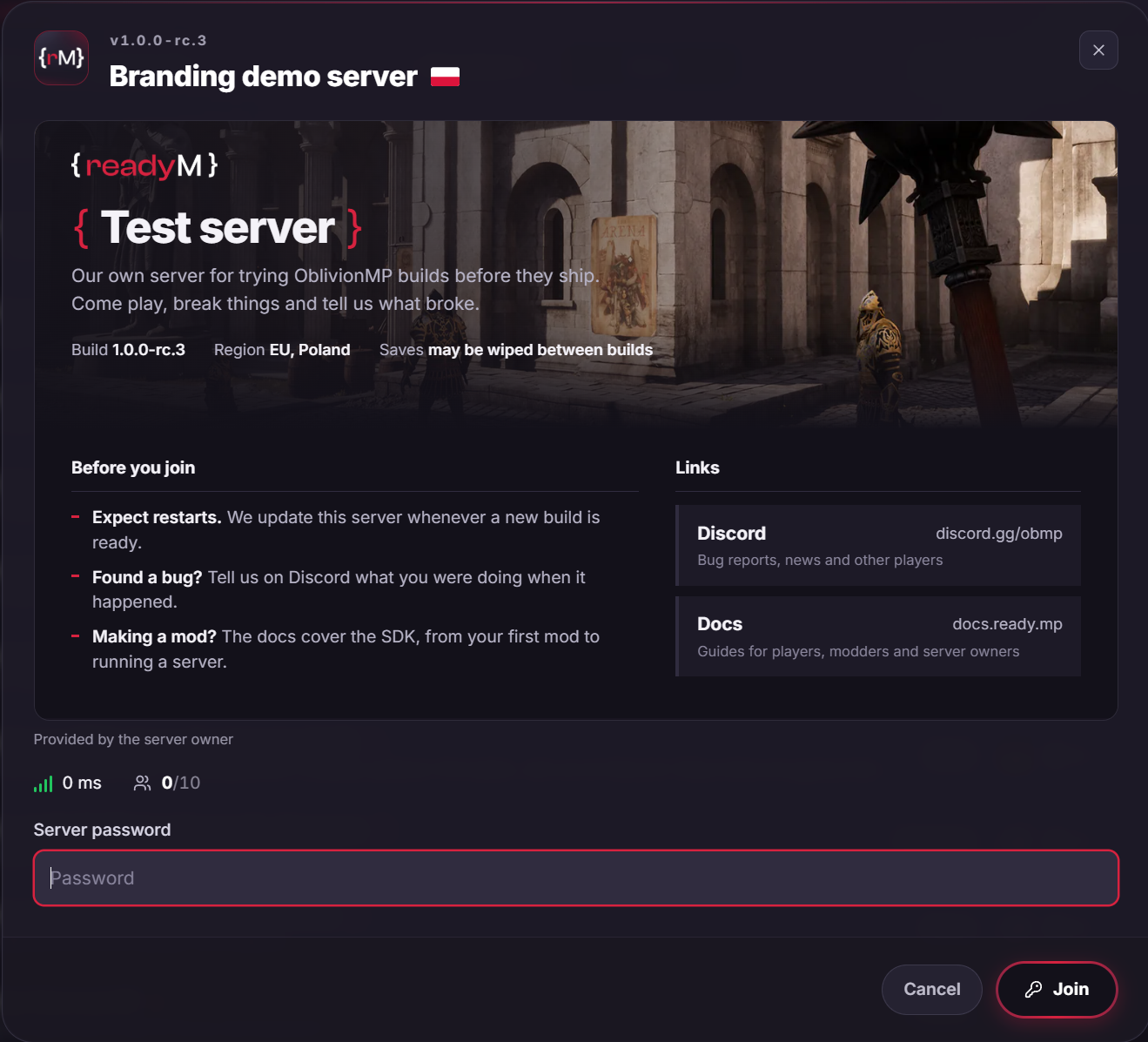
Server owners add icons and cards in a branding/ folder next to the server's config.json. See Branding for details and limits.
Playing on Linux
-
Add the Launcher installer to Steam as a non-Steam game, set Compatibility to "Proton Experimental", launch it once and log in.
-
Optional: point the shortcut's Target to the installed
ReadyM.Launcher.exe, so it stops asking to repair the installation:find ~/.local/share/Steam/steamapps/compatdata -path '*ReadyM.Launcher/ReadyM.Launcher.exe' -
Connect to a server, let shaders compile, and quit at the main menu.
-
Copy any single-player save to the folder printed by this command, to unlock Continue:
find ~/.local/share/Steam/steamapps/compatdata -mindepth 1 -maxdepth 1 -type d \-exec test -e '{}/pfx/drive_c/users/steamuser/AppData/Local/ReadyM.Launcher/ReadyM.Launcher.exe' \; \-printf '%p/pfx/drive_c/users/steamuser/Documents/My Games/Oblivion Remastered/Saved/SaveGames\n' -quit -
Run the Launcher, connect to a server and click Continue.
Updating
The Launcher updates itself. If you are not on 0.34.0 yet, restart it, or download it from the Player Portal.
Report bugs on the OblivionMP Discord.