ReadyM Launcher 0.29.0 released

Launcher 0.29.0 is out, and the headline is a server list built into the Launcher. Players can find self-hosted WukongMP servers and join them with a single click. Server owners can publish their servers to the list, which was added in WukongMP SDK 0.2.3, released at the same time.
Server list
For players: open the Launcher and you will see a list of self-hosted servers that are online, with their game mode, player count and version. You can search by name or game mode, and sort by name or by player count. Pick a server and join with a single click. No more asking someone for their IP and typing it in.
Servers with a license key from the Player Portal are marked as Verified. If a server is full, the Launcher tells you to try again later.
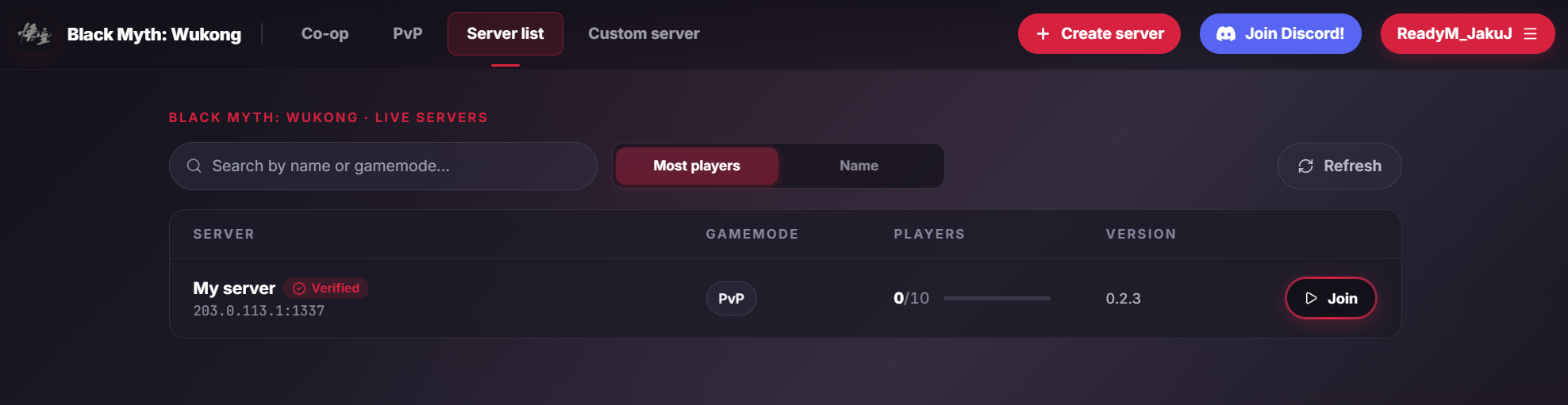
For server owners: update your server to SDK 0.2.3 and set ServerList:Enabled in its config to make it appear on the list. Refer to the server list documentation for details. The Create server button in the Launcher opens the quick start.
Mainland China hosting
As part of going all in on dedicated player-hosted servers, we have retired our xModo (魔岛游戏) hosted infrastructure in mainland China. Players there have two options: play on our Hong Kong server, or set up their own dedicated server and publish it to the list.
Changes in 0.28.0 and 0.28.1
- Added a game selection screen, shown after logging in. Pick a game to go to its servers.
- Added links to the QQ group and HeyBox community for WukongMP.
- Fixed the Launcher not detecting when a game started through Steam was closed (
0.28.1).
Updating
The Launcher updates itself. If you are not on 0.29.0 yet, restart it, or download it from the Player Portal.